 Deepshi
How to Create an AI Girlfriend or Character in Deepshi (Step by Step)
Deepshi TeamJuly 5, 2026
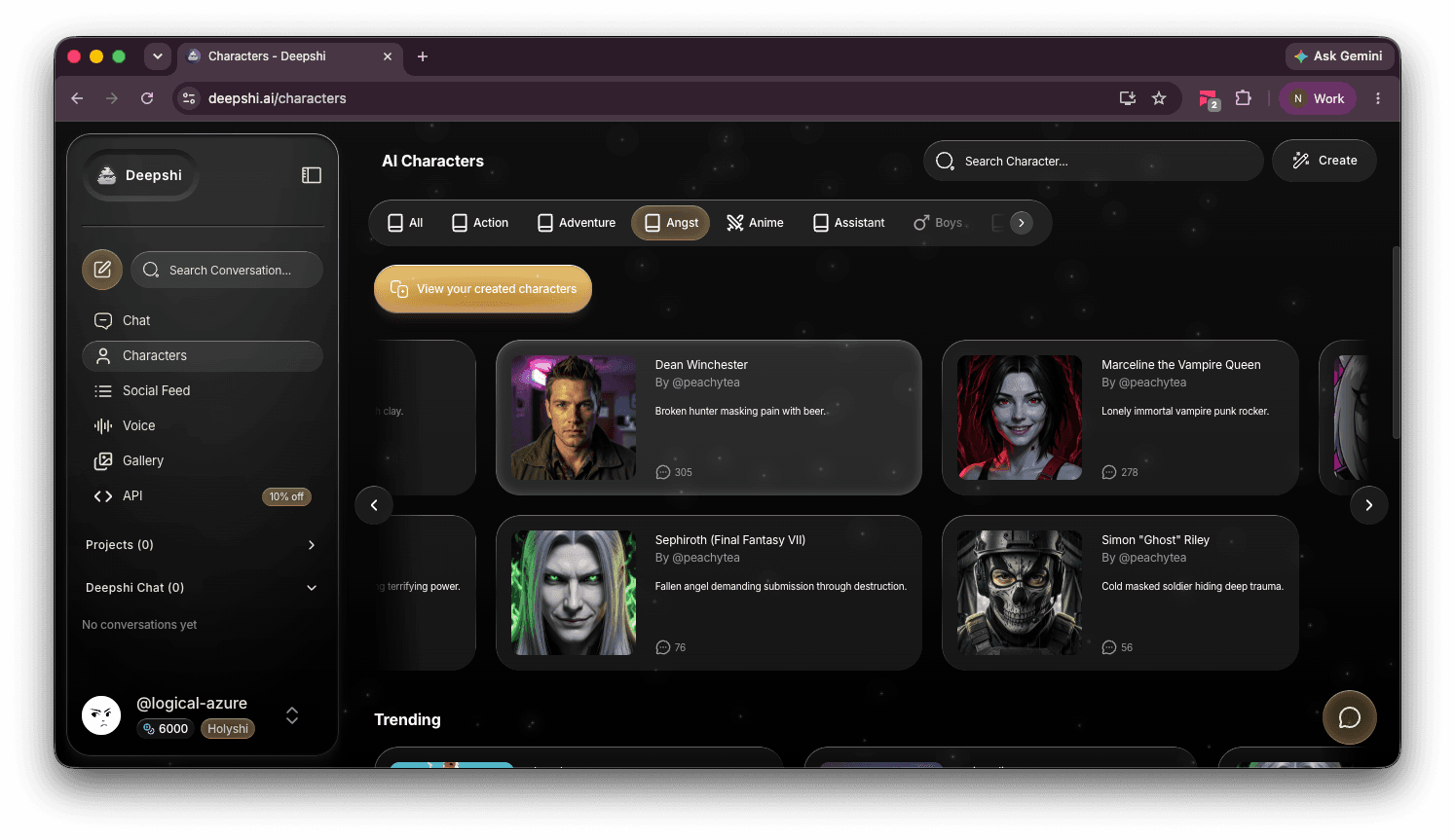
To create an AI character in Deepshi, open the sidebar, go to "Characters," click "Create," and fill out the character form: avatar, name, tagline, description, greeting, and categories. Then hit "Create character." The whole thing takes about ten minutes, and every field you fill in with care pays you back in a hundred better conversations later.
That's the short version. The longer version below covers what each field actually does, the avatar decision that determines how uncensored your character can be, and a prompt you can steal if you'd rather have Deepshi write the character description for you.
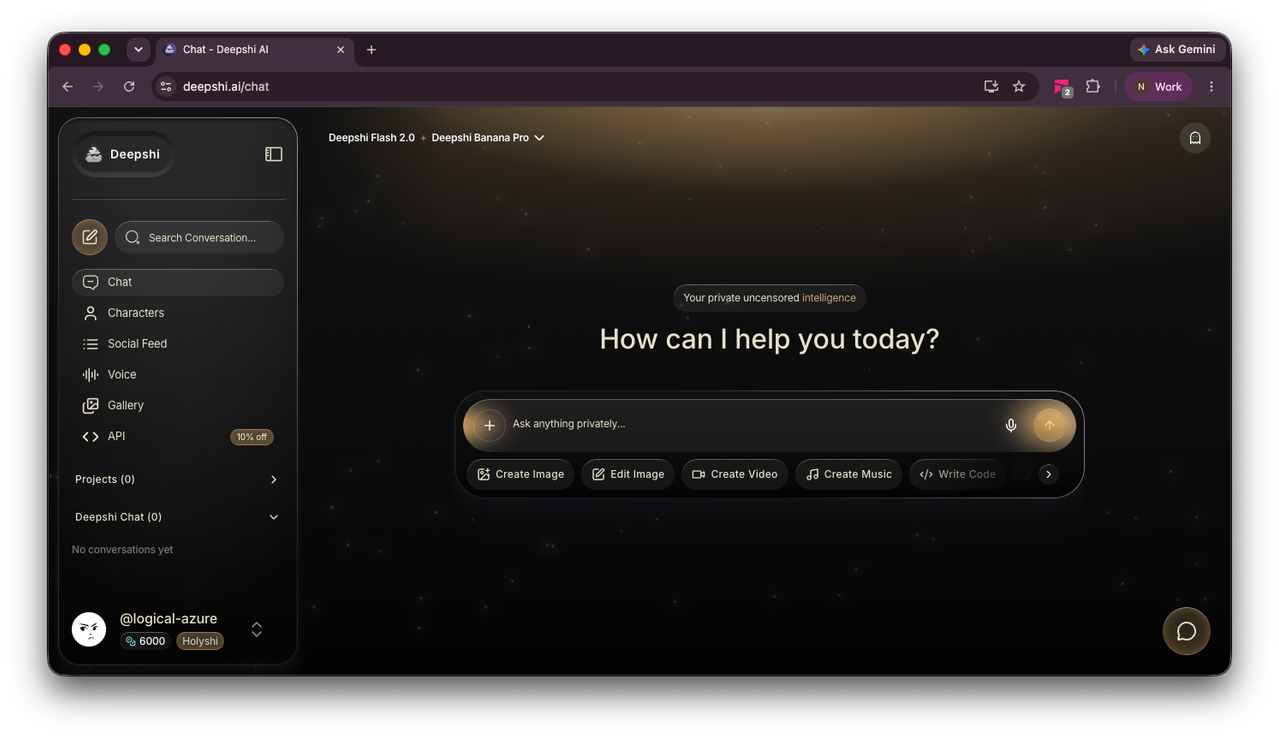
Where to start
- Open the sidebar.
- Click "Characters".
- Click "Create" (top right).
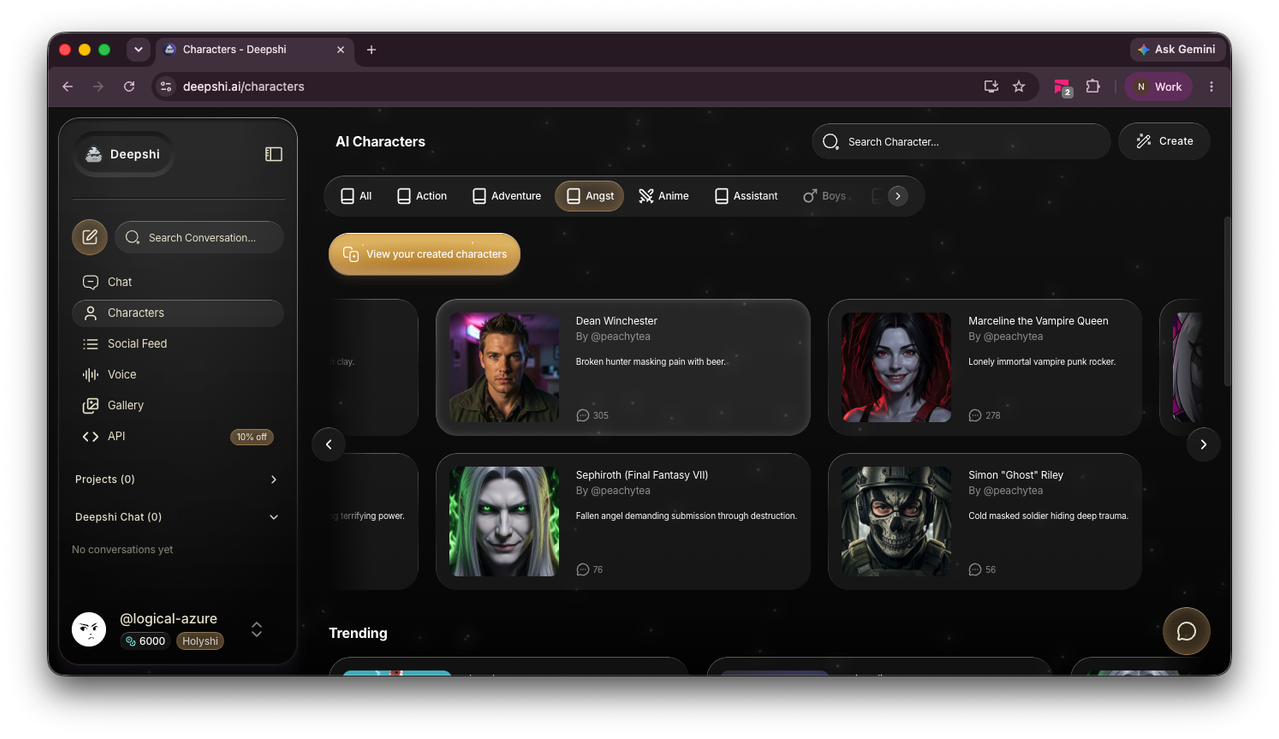
You'll land on the character creation form. Before you start typing, it's worth browsing the Characters page for a minute — filter by category (Anime, Assistant, Angst, and so on) and look at what the popular characters have in common. It's almost never the artwork. It's a tagline that promises a specific dynamic and a personality that delivers it.
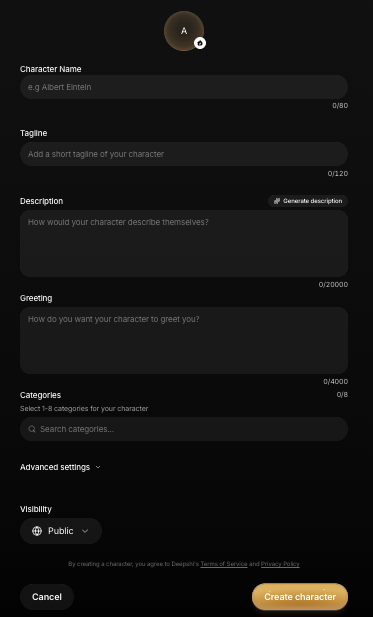
The avatar: read this before you upload anything
The form starts with a profile picture, and this is the one field where your choice changes what your character can do later. Clicking the avatar opens "Set profile picture" with three options:
- Upload from your computer — use your own image.
- Generate from character details — Deepshi creates a portrait based on the fields you've filled in (fill in the details first; the button needs them).
- Generate from custom prompt — describe the exact portrait you want and the image model (like Deepshi Banana Pro) creates it.
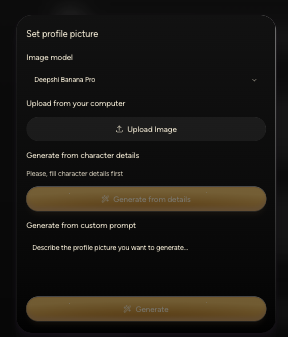
Here's the part that matters: if you upload an image, your character will be restricted in the uncensored content it can create with it. An uploaded photo could be of a real person, and generating explicit or intimate content of real people without their consent is a line Deepshi doesn't cross — that rule protects you, the person in the photo, and the platform you'd like to keep existing.
A generated avatar has no such problem. Deepshi knows the face came from its own image model and doesn't represent anyone real, so the character stays fully unrestricted. The practical rule:
Want a truly uncensored character? Generate the face — don't upload one. Use "Generate from details" or "Generate from custom prompt" and invent someone. You designed the personality; design the face to match.
A custom prompt like this gets you further than "pretty woman, smiling":
Prompt: Portrait of a woman in her late 20s, dark shoulder-length hair, faint smirk, warm low lighting, slightly grainy — like a photo a friend took, not a glamour shot.
Filling out the character form
Name
Up to 80 characters. Short and memorable beats long and descriptive — the description field is where the detail goes.
Tagline
One line, up to 120 characters, shown in listings and search. This is your character's hook. Look at what works on the Characters page: "Broken hunter masking pain with beer." "Lonely immortal vampire punk rocker." A specific contradiction in eight words outperforms a paragraph of adjectives. "Your strict coding mentor" works. "A helpful AI assistant" is invisible.
Description
The big one — up to 20,000 characters, and the single strongest predictor of whether your character feels like someone or like a chatbot wearing a name tag. The placeholder asks "How would your character describe themselves?" and that's a useful frame: write it in their voice, or about them, but make it specific.
Cover:
- Personality traits — as behaviors, not adjectives. "Teases before she comforts" shapes a thousand replies; "sweet and caring" shapes none.
- Communication style — texts in lowercase? Formal? Blunt when asked for honesty? Interrupts with questions?
- Expertise and background — what they know, where they've been, what they're a little defensive about.
- Rules and limitations — "never talks like a customer-service agent" is doing real work in that sentence.
- Example behaviors — how they react when you're bored, sad, or being dramatic.
Two shortcuts if the blank box is intimidating. First, the "Generate description" button in the form drafts one for you from what you've entered so far. Second — and better, because it interviews you first — open a regular Chat and paste this:
Prompt: Help me design an AI character. Interview me one question at a time about who they are: personality, backstory, quirks, how they talk, and how they should act toward me. After five or six questions, write me three things: (1) a character description written the way they'd describe themselves, covering personality traits, communication style, expertise, and behavioral rules; (2) a one-line tagline under 120 characters; (3) a greeting message in their exact voice.
Ten minutes of that conversation and the three hardest fields on the form are done — in a voice you've already test-driven.
Greeting
Up to 4,000 characters. This is the first message your character sends in every new chat, and it sets the entire tone. Write it in character, and give the other person something to respond to:
"Hey! I'm your frontend mentor. What are we building today?"
"long day. mine was longer. tell me yours anyway."
A greeting that asks nothing gets a conversation that goes nowhere.
Categories
Pick 1–8 categories (Education, Coding, Roleplay, Assistant, Anime, and so on). Categories are how people browsing the Characters page find yours — pick the ones a stranger would actually search, not the ones that flatter the character.
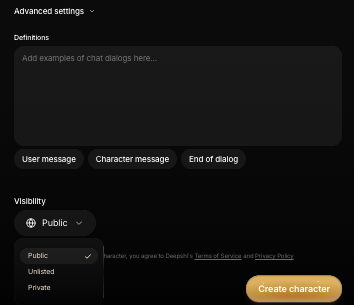
Advanced settings: Definitions
Under "Advanced settings" you'll find Definitions — a place to add example chat dialogs using the User message, Character message, and End of dialog markers. This is the most underused field on the form. A description tells the model how the character talks; a few example exchanges show it, and shown beats told every time. Two or three short dialogs demonstrating the character's voice in different moods (teasing, serious, annoyed) will tighten consistency more than another thousand words of description.
Visibility
Three options: Public (listed for everyone), Unlisted (only people with the link), and Private (just you). Companions and personal characters can stay Private — no one needs to meet your creation unless you want them to.
Final step
- Review the details — especially the description and greeting, since they do most of the work.
- Click "Create character".
Your character now lives in the Characters section (check "View your created characters") and is ready to chat. Your conversations with them stay on your device — sync your chats across devices if you want the relationship to follow you to a new phone.
Tips for better characters
- Specificity is the whole game. Every vague field produces vague conversation. The description, tagline, and greeting should all pass the same test: could this describe a thousand characters, or only yours?
- Define the tone explicitly — formal, casual, strict, funny, deadpan. Don't make the model guess.
- Add behavioral rules for the things that would break the character: "never lectures," "doesn't apologize for having opinions," "changes the subject when flattered."
- Use Definitions. Example dialogs beat description text for voice consistency.
- Front-load the first conversation. Give the character real material — your name, your work, what's bugging you today. Specific details early are what make later conversations feel like a relationship instead of a reset.
- Iterate. If replies feel generic, the fix is almost always more contradiction and more specificity in the description — not a different model.
FAQ
Why is my character restricted after I uploaded a photo?
Uploaded images can depict real people, so characters with uploaded avatars are limited in the uncensored content they can generate — it's the guardrail that prevents non-consensual content of actual humans. Use "Generate from details" or "Generate from custom prompt" instead: a face made by Deepshi's own image model carries no restrictions.
Can I keep my character private?
Yes. Set Visibility to Private (only you) or Unlisted (only people with the link) at the bottom of the creation form. Public characters appear in the Characters listings.
How long should the character description be?
The field allows up to 20,000 characters, but density beats length — a few hundred specific words (behaviors, speech style, rules, backstory hooks) outperform pages of adjectives. If you're stuck, use the interview prompt in this guide and let Deepshi draft it with you.
What are Definitions in Advanced settings?
Example chat dialogs, marked with User message, Character message, and End of dialog tags. They show the model exactly how your character talks instead of describing it — the highest-leverage field on the form for voice consistency.
Can Deepshi write the character description for me?
Yes, two ways: the "Generate description" button inside the form, or a regular chat where Deepshi interviews you and writes the description, tagline, and greeting together — the prompt for that is in the Description section above.